You've got options, DHCP Options

When a device connects to a network, it needs an IP address to communicate. The Dynamic Host Configuration Protocol (DHCP) automates this process.
Beyond just handing out IP addresses, a DHCP server can send additional configuration settings to the device. These extra settings are called DHCP options. Think of them as a welcome packet of instructions that tells your computer or phone not just who it is on the network, but also how to find the internet, name servers, and other essential services.
How DHCP Options Work
During the standard DHCP handshake process (DORA: Discover, Offer, Request, Acknowledgment), the DHCP server includes specific option codes and values in its response. Each option is identified by a standard number code.
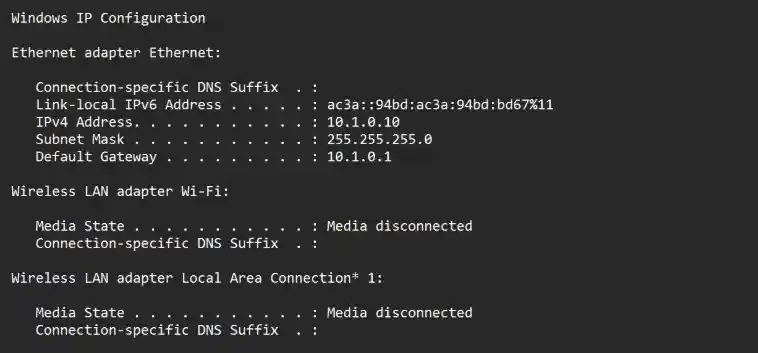
For example, when your laptop connects to Wi-Fi, the router hands out:
An IP address (e.g., 192.168.1.50)
A Subnet Mask (e.g., 255.255.255.0)
DHCP Options (like your gateway and DNS server)
Most Common DHCP Options
While there are hundreds of standard DHCP options defined by IANA, commonly, just a few are used on almost every network. If you want to hop into the weeds, you can view all available options here, as published by IANA. Of course, your mileage may vary, but these are the more common one's that I've seen in practice and that you're likely to stumble upon:
Option 1 (Subnet Mask): Defines the network mask for the client's IP address.
Option 3 (Router / Default Gateway): The IP address of the router used to access external networks/internet.
Option 6 (Domain Name Server): The IP addresses of DNS servers.
Option 15 (Domain Name): The local DNS domain name (e.g.,
company.local).Option 28 (Broadcast Address): The broadcast address for the local subnet.
Option 33 (Static Route): Adds specific static routes to the client's routing table.
Option 51 (IP Address Lease Time): How long the client can keep the IP address before renewing.
Option 53 (DHCP Message Type): Identifies the type of DHCP packet (Discover, Offer, Request, Acknowledgment, etc.).
Option 54 (DHCP Server Identifier): The IP address of the DHCP server handing out the lease.
Option 55 (Parameter Request List): A list sent by the client specifying which DHCP options it wants the server to provide.
Option 61 (Client Identifier): A unique identifier for the client (such as its MAC address or a hardware UUID).
Option 42 (NTP Servers): Network Time Protocol servers used to synchronize clocks.
Option 44 / 45 / 46 (NetBIOS Options): Legacy Microsoft networking parameters (NetBIOS name servers and node types).
Option 69 / 70 / 71 (Mail Servers): Legacy pointers for SMTP, POP3, and NNTP email servers.
Option 66 (TFTP Server Name / Next-Server): Tells a booting computer where to download network boot files.
Option 67 (Bootfile Name): Specifies the name of the file the client should download to boot up (e.g.,
pxelinux.0).Option 43 (Vendor Specific Information): A flexible container that allows hardware vendors (like Cisco, Polycom, or Aruba) to pass custom configuration data to specific devices like IP phones or access points.
Why Are DHCP Options Useful?
Centralized Management: Network administrators can change DNS servers or default gateways in one central place (the DHCP server) rather than manually updating every single device.
Automation: Devices instantly receive all necessary configuration parameters the moment they plug in or join Wi-Fi.
Flexibility: Advanced options allow administrators to push specific settings to specific types of devices (like VoIP phones or printers) based on their vendor class identifiers.